IP Camera Integration Guidelines
When deploying solar-powered security systems, understanding camera-side voltage and pinout compatibility is critical. Standard IP cameras require active Power over Ethernet (PoE) signals under the **IEEE 802.3af**, **802.3at**, or **802.3bt** standards.
Because Linovision switches boost 12V/24V battery power to a stable 48V/52V DC PoE output, they are compatible with standard PoE IP cameras. Below is our engineering compatibility matrix testing major models from Axis, Hikvision, Dahua, and Amcrest.
Camera Compatibility Matrix
| Camera Brand & Model | PoE Class / Draw | Booster Volt Required | Pinout Support | Verdict |
|---|---|---|---|---|
| Dahua IPC-HFW5442T-ASE | 802.3af (7.2W) | 48V PoE (Stable) | Mode A (1/2+, 3/6-) & Mode B | 100% Compatible |
| Hikvision DS-2CD2087G2-L | 802.3af (6.5W) | 48V PoE (Stable) | Mode A & Mode B | 100% Compatible |
| Axis P3245-LVE Dome | 802.3af (Typical 5.2W, Max 12.9W) | 48V PoE (Stable) | Mode A & Mode B | 100% Compatible |
| Amcrest IP8M-2496EW | 802.3af (5.8W) | 48V PoE (Stable) | Mode A & Mode B | 100% Compatible |
| Hikvision DS-2CD2143G0-I (PTZ) | 802.3at (Max 18W during rotation/IR) | 48V/52V PoE+ (Required) | Mode A & Mode B | 100% Compatible (Use Port 1/2) |
| Axis Q6075-E PTZ | 802.3bt Type 3 / High PoE (60W) | 54V-57V DC (Required) | 4-Pair PoE (1/2-, 3/6+, 4/5+, 7/8-) | Requires 60W Injector Splitter |
PoE Pinout & Wiring Modes
Modern networking cables carry four twisted wire pairs. Fast Ethernet (10/100 Mbps) only uses two pairs for data transfer, leaving two pairs free. Gigabit Ethernet uses all four pairs for both data and power simultaneously.
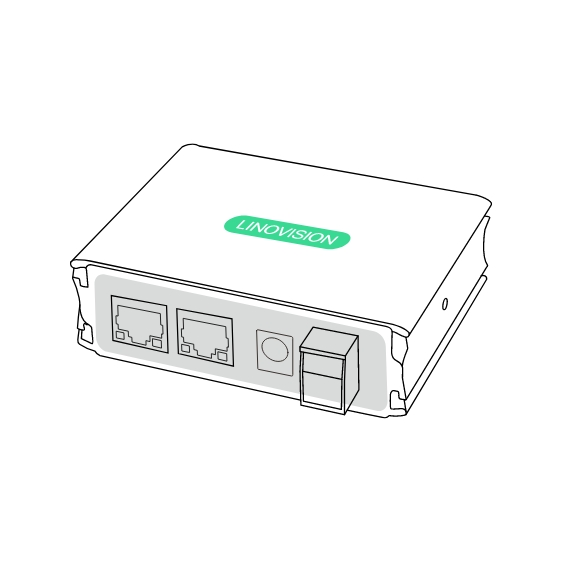
Figure 1: Custom injectors and passive conversion accessories used in specific camera deployments.
- Mode A (Endspan): Power is delivered on the data wire pairs (Pins 1/2 and 3/6). This is standard for most industrial switches and PTZ cameras.
- Mode B (Midspan): Power is delivered on the unused wire pairs (Pins 4/5 and 7/8). This is standard for passive injectors and remote wireless bridges.
Linovision switches support **both Mode A and Mode B** dynamically, meaning they auto-negotiate power with the connected camera to prevent device shorts.
Important Installation Safety Guidelines
To protect your camera gear from electric arcs or voltage drops:
- Avoid Passive 24V Cams on 48V Ports: Some older Ubiquiti and Mikvision devices use passive 24V PoE. Plugging a 24V passive device into an active 48V port will instantly fry the camera. Ensure you configure the port voltage to 24V or use an active-to-passive converter.
- Cable Distance Limits: Standard PoE cables are rated for up to 328 feet (100 meters). For runs between 300 and 600 feet, deploy a **Linovision POE-EXT02G Extender** midway to boost the Ethernet packet signal and power.
- Grounding the Enclosure: Industrial camera setups are susceptible to lightning and electrostatic build-up. Always run a heavy copper wire from the switch chassis ground terminal to an external grounding rod.
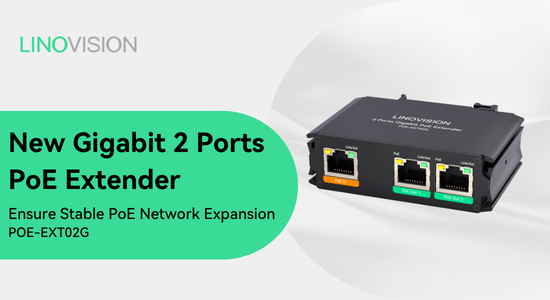
Figure 2: The Linovision POE-EXT02G waterproof Gigabit PoE extender for long distance cabling.